
OU Anywhere6.2.0 - Get APK
You'll be able to download in few seconds.
Publisher Description

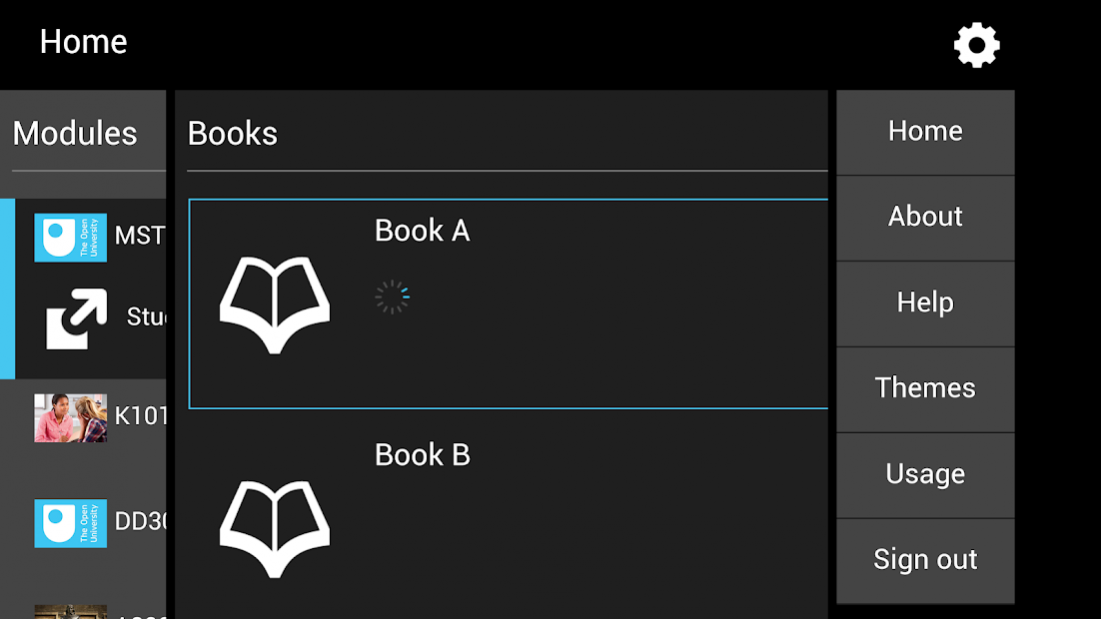
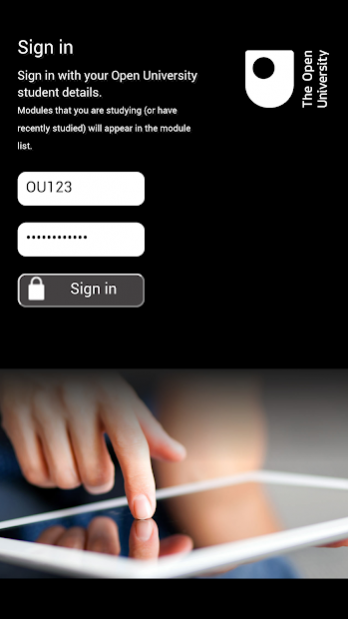

OU Anywhere is an app for Open University students studying an OU qualification (you will need your OUCU/PI and password to sign in – email addresses are not supported). It is a convenient way to download secondary formats of module materials (when and where available) for your studies. You can also navigate to module websites from within the app itself.
Please note:
- This app is designed for convenient downloading of content for offline reading: it is not a replacement for regularly visiting your module website.
- The app does not include a reader: if you don’t have software to read the PDF, MOBI or EPUB files usually available for download then you will need to install an appropriate app from your devices’ app store.
- Following a new release of Android or iOS, the app may not immediately function as intended. Functionality is regularly monitored but the issues may unfortunately not be fixed immediately. We apologise for any frustration but thank you for your patience in this matter.
- You can also download all the files available in the app via your devices’ web browser – further information is available here: http://www.open.ac.uk/computingguide
- OU Anywhere general support: http://www.open.ac.uk/ouanywhere-guide
- If you experience technical issues not covered by the general support documentation, please let us know via this web form:
https://msds.open.ac.uk/students/contactus.aspx?t=18
By installing the OU Anywhere app you are agreeing to The Open University’s Policies and Statements: http://www.open.ac.uk/about/main/admin-and-governance/policies-and-statements
About OU Anywhere
The company that develops OU Anywhere is The Open University. The latest version released by its developer is 6.2.0.
To install OU Anywhere on your Android device, just click the green Continue To App button above to start the installation process. The app is listed on our website since 2021-06-08 and was downloaded 0 times. We have already checked if the download link is safe, however for your own protection we recommend that you scan the downloaded app with your antivirus. Your antivirus may detect the OU Anywhere as malware as malware if the download link to uk.ac.open.ouanywhere is broken.
How to install OU Anywhere on your Android device:
- Click on the Continue To App button on our website. This will redirect you to Google Play.
- Once the OU Anywhere is shown in the Google Play listing of your Android device, you can start its download and installation. Tap on the Install button located below the search bar and to the right of the app icon.
- A pop-up window with the permissions required by OU Anywhere will be shown. Click on Accept to continue the process.
- OU Anywhere will be downloaded onto your device, displaying a progress. Once the download completes, the installation will start and you'll get a notification after the installation is finished.
Program Details
System requirements
Download information
Pricing
Version History
version 6.2.0
posted on 2021-06-08
Final update to ensure a clear error message when the service is turned off during the evening of 22 June 2021.
version 6.1.0
posted on 2021-02-09
Improved media player and various minor improvements.
version 6.0.0
posted on 2020-10-13
Updated to work with Android 11
version 5.1.2
posted on 2020-07-16
Bug fixing update.
version 5.1.1
posted on 2020-07-08
Minor maintenance update.
version 5.1.0
posted on 2020-06-11
Based on user feedback, have made it possible to download files when using the module ‘study planner’ viewer (uses system web browser to do so). Also includes minor improvements to audio/video transcript display.
version 5.0.2
posted on 2020-05-11
Minor maintenance release.
version 5.0.1
posted on 2020-01-30
Minor security improvements.
version 5.0.0
posted on 2019-11-08
We have added a new 'News' feature, and there are various optimisations for the latest version of Android.
version 4.4.0
posted on 2019-07-18
Release includes general code improvements.
Disclaimer
External Download
We do not host OU Anywhere on our servers. We did not scan it for viruses, adware, spyware or other type of malware. This app is hosted by Galad and passed their terms and conditions to be listed there. We recommend caution when installing it.
The APK Download link for OU Anywhere is provided to you by apps112.com without any warranties, representations or guarantees of any kind, so access it at your own risk.
If you have questions regarding this particular app contact the publisher directly. For questions about the functionalities of apps112.com contact us.
